
GitHub Universe
What’s new at GitHub Universe
github-universe-2026
github-universe-2026
Catch up on the key announcements shaping the future of software development
github-platform
github-platform
stacked-pull-requests
stacked-pull-requests
Break complex work into changes everyone can follow
stacked-pull-requests
stacked-pull-requests
Break large changes into focused, linked pull requests. Review each independently, then merge the full stack in one click.
Create a pull request stack Read the docs
Opens a pre-configured Codespace with all the dependencies needed
github-cli-attach
Add images and videos from your terminal
Use GitHub CLI’s repeatable --attach flag to add images and videos inline in issues, pull requests, or comments.
Attach with GitHub CLI Read the docs
Opens a pre-configured Codespace with all the dependencies needed
issue-artifacts
Keep the plan with the work
Attach plans, research, links, and other artifacts to an issue so your team can find the thinking behind the work.
Opens a Copilot app canvas for guided activity (5–10 min). Download Copilot app.
repository-pull-requests
Find the pull requests that need you
Scan open work, understand its status, and jump into what needs your attention next.
View pull requests Read the docs
github-copilot
github-copilot
copilot-fusion
copilot-fusion
Choose the effort. Copilot handles the models.
copilot-fusion
copilot-fusion
Select Standard, High, or Max. Copilot Fusion determines whether to use one model or combine multiple models, balancing quality, speed, and cost for the task.
Learn about Copilot FusionCopilot benchmarks
copilot-projects
Turn a goal into coordinated work
Copilot Projects keep goals, context, sessions, and results together, coordinating parallel work across one or more repositories so you can track progress and direct what happens next.
copilot-automations
Keep work moving automatically
Run reusable Copilot tasks on demand, on a schedule, or from triggers. Share them with your team and control their access, actions, and cost.
Create an automationRead the docs
Opens a Copilot app canvas for guided activity (25–30 min). Download Copilot app.
copilot-connectors
Use your tools across Copilot
Authenticate once to services like Vercel, Cloudflare, and Sentry. GitHub configures and manages the supported MCP server connection across the Copilot app, CLI, VS Code, web and code review.
github-security
github-security
security-extension
security-extension
Act on security risk while you build
security-extension
security-extension
Review what you and your agents just wrote alongside your repository's code scanning alerts in one Security canvas. Ask Copilot to explain and fix findings, then review each change.
Open in Copilot appRead the docs
ai-scan
Find and fix vulnerabilities in any language
Scan a whole repository on demand and assign the backlog of findings to Copilot to fix. AI Scan also checks pull requests in languages CodeQL doesn't cover.
push-protection
Block the secrets that patterns miss
Push protection now uses AI to catch unstructured secrets, like passwords, and blocks them at push, whether you or your agents wrote the code.
Both push protection and AI secret detection must be enabled
supply-chain
Keep risky packages out and fix what matters
Package firewall blocks malicious and risky npm packages before agents, runners, or IDEs install them. Reachability analysis shows which vulnerable functions your JavaScript code calls, so you fix those first.
Learn about Reachability analysisLearn about Package firewall
developer-trends
developer-trends
dev.connect()
dev.connect()
State of the Octoverse in 2026
dev.connect()
dev.connect()
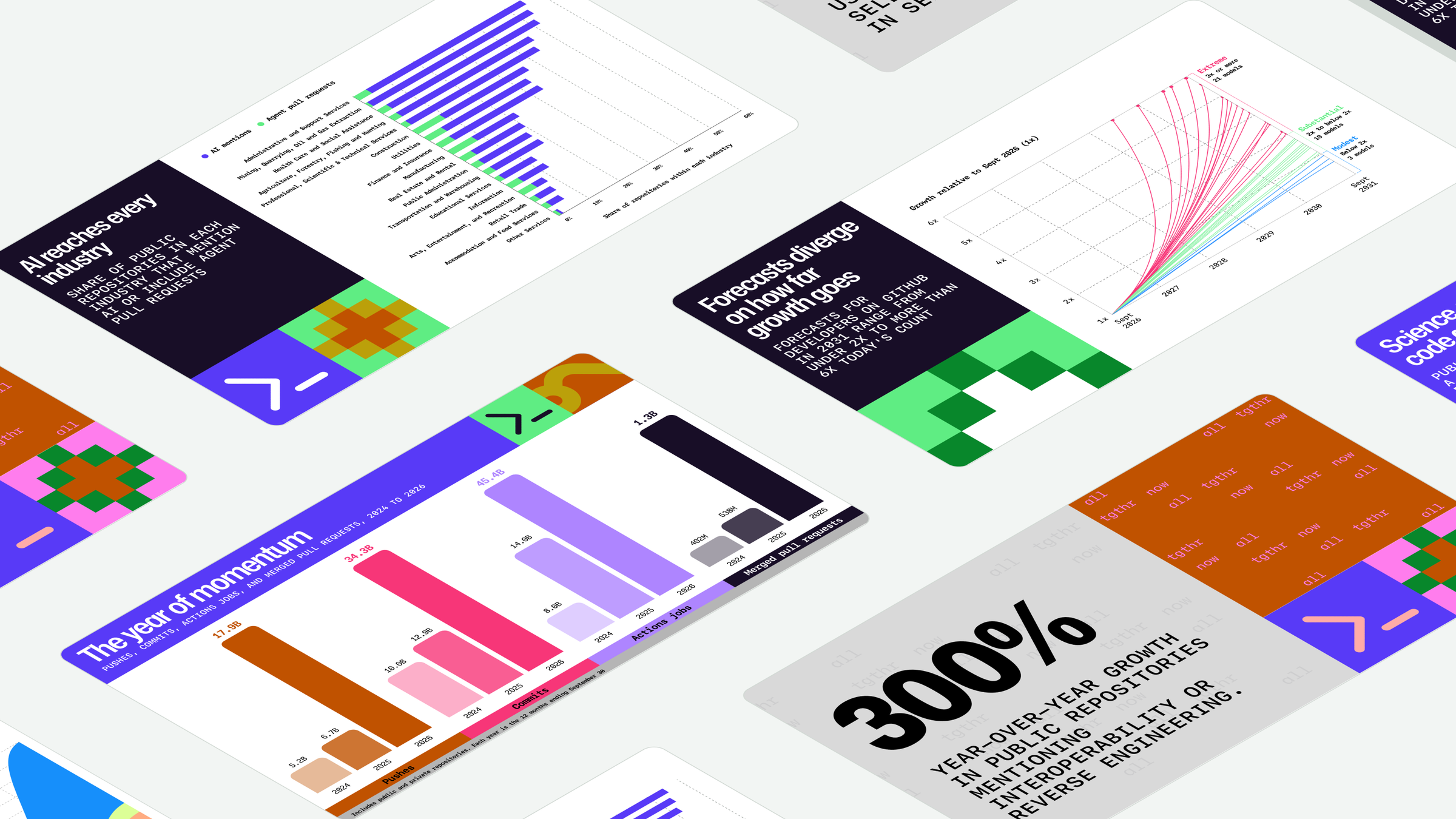
A record year of momentum, and it showed up everywhere: every region, every industry, every field of research. See the 2026 Octoverse.
Universe '27
Universe '27
stay-tuned()
stay-tuned()
Get notified
stay-tuned()
stay-tuned()
Sign up for news and be the first to know when Universe 2027 is announced.

